Sunday, September 15, 2013

New update!

Hey Jammers! Mia here! With some exciting news, the first thing is I got a new screenshot thing! My old one broke as I talked about in my last post and I found a new and even better one. :D
Anyway, today was the update! Today I am going to show you briefly todays update!

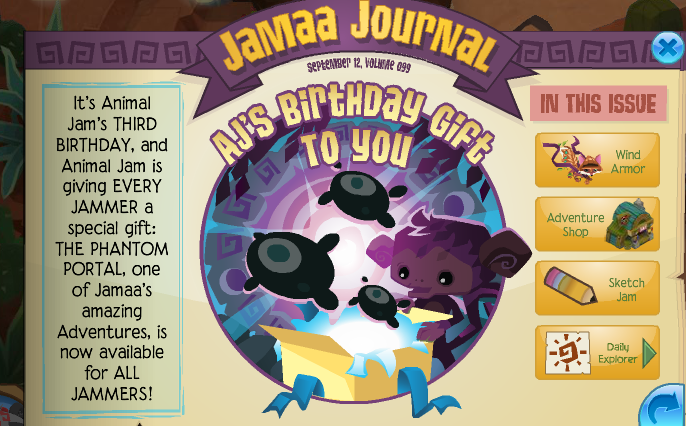
AJ's 3rd birthday! Happy bday to AJ! ^.^
Yay! The phantom portal adventure is now for everyone! Yippee! :)

AJ Birthday Party! YAY! A tour of that will come soon. New code: ajbday3 gives you a 3th birthday cake, as picture on the right. xD
The new medical center! Nothing like the beta-ish one, but it's pretty okay. Popular so far. Wind armor! Not really new, but AJHQ has a tendency to repeat things from past updates and call them new....
There are now adventure invites, I still wish there could be private adventures, but I guess it will help us not have to retry adventures over and over... believe me, it's quite a hassle. The adventure camp shop is now open! Pictures are at the end of the post, btw. xD
Yay! Print and play alpha pictures, quite nice. The AJ animator has released a video of how to draw an AJ bunny! I watch it over and over again for no exact reason. xDD
Meet Cosmo hard mode! Must be pretty hard, considering normal mode is hard... Elephants are back! I hope Giraffes and Rhinos come back soon...
 Finally, it's fall in Jamaa! Yay! I cant wait for the Jamaalidays. Sorry I am rushed here. ^.^
The adventure base camp shop sells trapped phantoms, much like the monthly gift from october a couple of years back, caged phantoms....
The pretty Ancient Greek collumbs. My panda seems to like their history. xD
Here is the three phantoms that are sold currently.

Thanks for reading! Sorry I am rushed, I have to get off the computer. Good night Jammers! Tour of the AJ birthday party and the new medical center coming soon. OMZ! Almost forgot... I found a new thing for screenshots! I am so excited, and it works better than my old one did. xD. Fall theme coming soon to AJIk as well. Sorry for being rushed. /).(\

New chapter  posted on The life of a gymnast! :)
Monday, September 2, 2013

Really, really important update...

Hey jammers! Mia here, today with a super important update (that is not too good of news).

My screenshot-er has broke. :(
I was using it to make an "update" post for you guys to tell you that I'm not dead, but the thing didn't work... I took one, and then it stopped working oddly. I will try to make that post again tomorrow, but no promises! As I do not know if it will work anymore. Anyway, the one update I got a picture of is...

I got a Kangaroo! I actually got one the first week they were in the Diamond Shop by purchasing a lion membership card and using the 10 diamonds to get a kangaroo. ;)

Anyways... I have more but I cant post them because, read the post above. Bye Jammers! I hope to post again soon. ^.^


Tuesday, July 23, 2013

Tunnel Town!

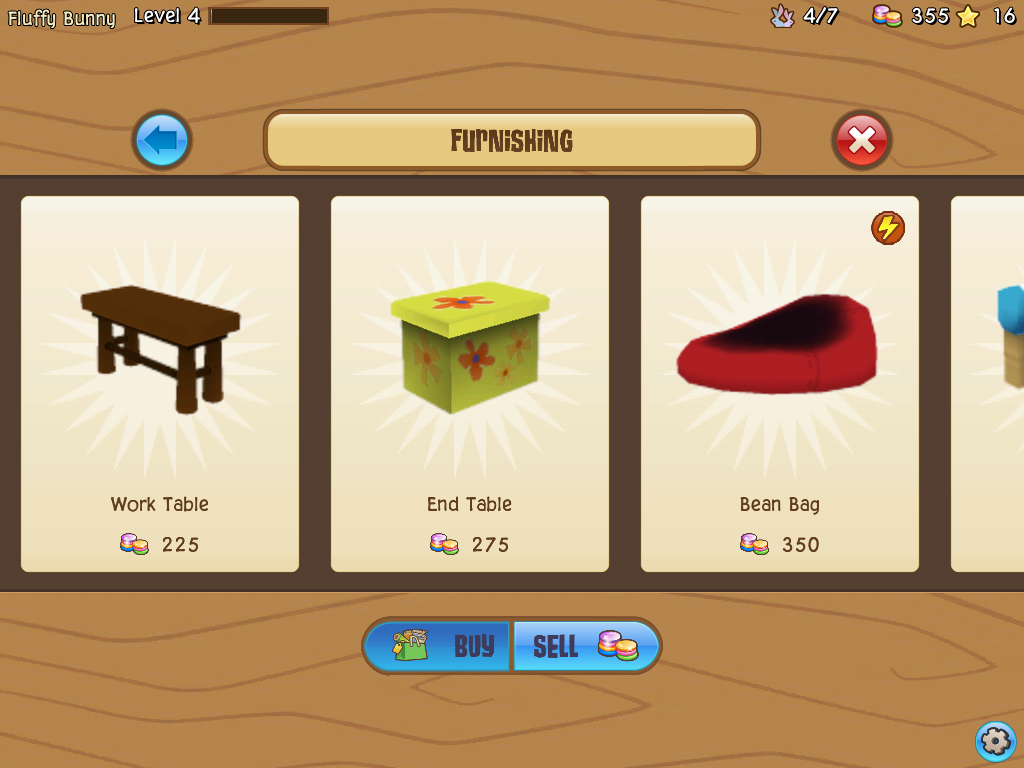
Hey Jammers! Sorry I haven't posted in a while, I have been busy. Also, I have decided to not post updates because there are so many screenshots to take and I am running out of file names LOL. If you guys still want that news, I suggest Animal Jam Spirit (Snowyclaw's pawsome AJ blog, which I comment on a lot) for updates/ daily new items in AJ. Anyway, onto the point of this post! So I was at my grandmas house and she has an ipad so I was playing tunnel town (AJ's new app which is currently only for IOS [apple] opperating system only) while I was playing Tunnel town I was thinking about my blog. Then I decided to take some screenshots for you Jammers... Soooo  yeah! xD
Here is Tunnel Town!
 I didn't put these in any order, and am missing a couple of things about tunnel town, btw. Anyway, so you can grow your own crops for your bunnies to eat.
 And of course you can dig a burrow for your bunnies to live in, actually, you have to build a burrow for your bunnies to live in. LOL
 Here is the store\market place. You can buy...
 Different bunnies,
 Food your your bunnies,
 Furniture for your burrow,
 And gems, but you have to pay real money for these gems so I suggest asking your parents/guardians permission (Or if your over 18 I guess you can get them...), but I will never buy gem boosters because I think this is not a very good idea on AJHQ's part....
 You can also catch bugs! You essentially have a bug collection and you can collect bugs... I personally think this concept is kind of strange, but it turns out it is kind of fun to do while your bunnies are preoccupied. My favorite bug is the bopa, it has such pretty coloring! I can do a seperate post about the bugs/more about the bunnies in Tunnel Town if you'd like.
 Finally, this is Pecks burrow! What is a pawsome thing about this app is that... Drum roll please... You are Peck's buddy! And you can visit her burrow. Let me just say, her burrow is HUGE. Like, really, really, really huge. I will make a sort of "part two" of this post to let you guys know more about Tunnel Town either tomorrow, saturday or next week since those are the days I can play Tunnel Town. I hope you enjoyed this post!

Saturday, July 6, 2013

How to out a Favicon on your blog ~ requested by pink200330

Hey Jammers! Mia here, and today, this is not AJ related, I'm going to show you how to change your favicon on your blog. This post was requested by pink200330.  Okay, before I start, just go to your own blog, and click Design in the top bar. it should take you to a screen that looks like this...
 

 Step 1. Okay, look to the sidebar of that page. You should see a tab that says "layout". Click on that. It should take you to this page...
 See the favicon thing in the top left corner? Click the edit that is next to that.
 This pop-up should come up on your screen. When you see this, either go to google images, or take your own screenshot. Choose a picture you like, and then save it. It wont fit as your favicon though because your favicon has to be under 100KB (That is a picture size, I cant really explain right now... lol). You can use picture editors such as photobucket, picmonkey (I reccommend Picmonkey because photo bucket is hard to use.), etc to re size your screenshot. Idk how big it should be, just play around with it 'till it is about the size is about as big as my favicon on this blog.
 Step 4. Click the "choose file" button, and keep the window of your photo editor open though because Blogger might say it's to big of a file or to small, etc. Anyhow, after you click the choose file button, and click your saved photo. Or, if you have a TON of files, like me, just type it in.

I hope this helped ^.^
Sorry my thoughts are jumbled everywhere. Lol. :)


EDIT: Your favicon will take a couple of hours to a day to show up. Those of you who are having that problem, I did too. :)